
Although course content is still translated manually, other content on the platform can be translated using AI. AI translations are available for articles, information pages, and landing pages. Before a translated page is activated, it should be reviewed and edited by someone who speaks the language.
To Translate Articles, Landing pages, and Information Pages:
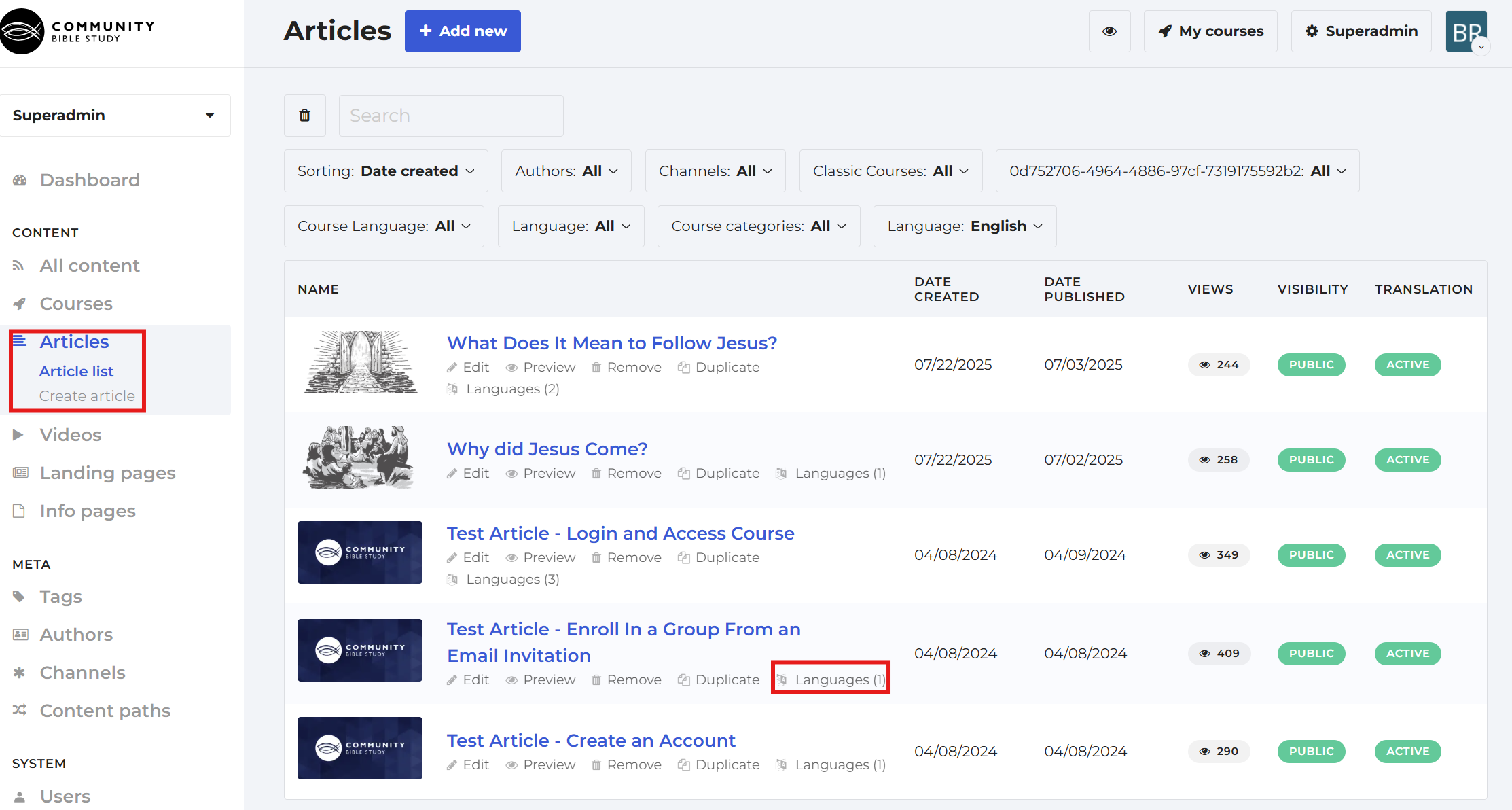
1. Access the content type and find the page you want to translate. Click the Languages option underneath the desired page.
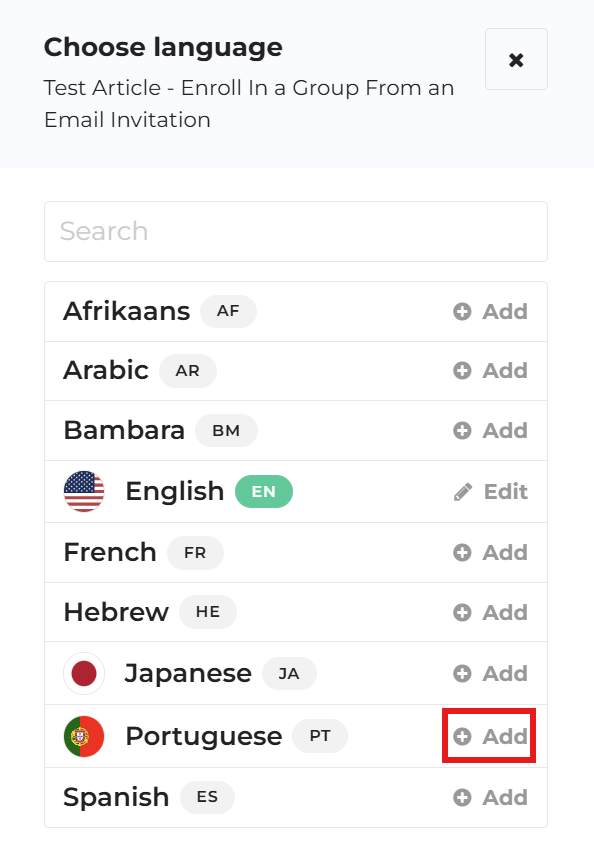
2. A pop-up window displaying all added and activated languages will appear. Click Add next to the language you want to select.
3. You will then see another menu with different options for translation. Click on the Translate Automatically box and then click Continue.
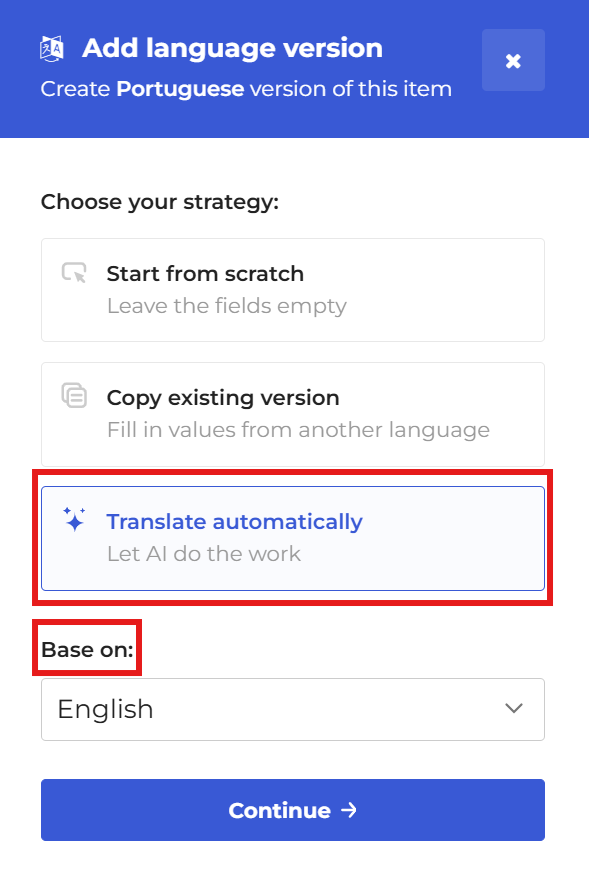 Note: The translation will be based on the default language in the platform.
4. Once the translation is done, click the Translation active button in the upper right-hand corner above Save to activate it. Make sure you click Save when you are finished.
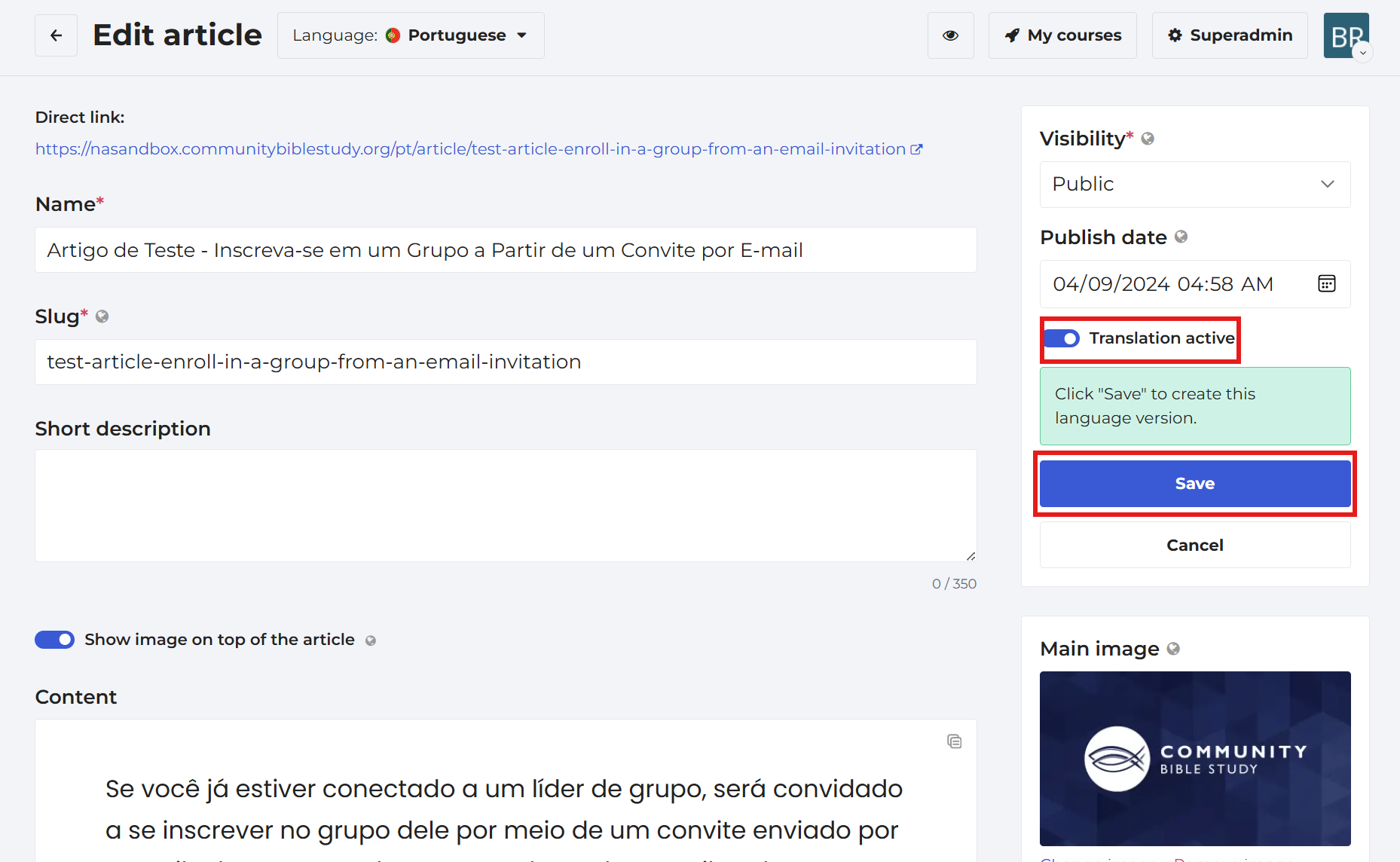 Note: The translation process demonstrated here uses an article for explanation, but the process is the same for information and landing pages.